

Report Creator
Compare everything.
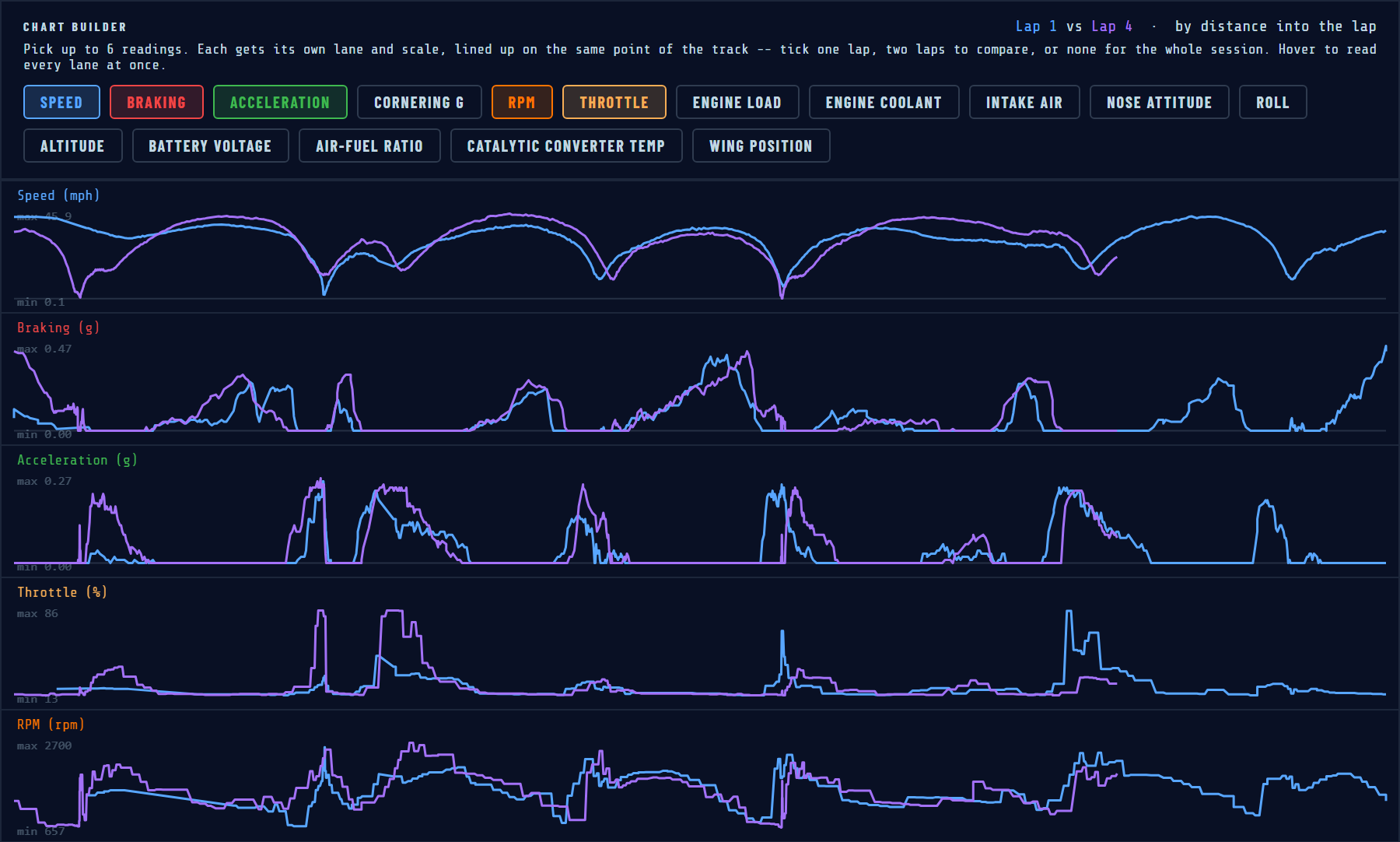
Build your own report from any session. Pick up to six readings — speed, braking and acceleration, cornering G, pitch, roll, and with a CANBUS-equipped Black Box, RPM, throttle, engine load plus the extra readings your car shares — and each one gets its own lane and scale, all lined up on the same point of the track. Choose one lap to study it on its own, or two laps to see exactly where one gained on the other — and with a single lap, Overlay puts up to four readings on one graph. Run your cursor across the report and every lane reads out at that exact spot while a marker follows along on the track map. Your picks are remembered, so the report you build is waiting for you on the next session.
Load your circuit
Choose from the GBC circuit library or drive a sighting lap to auto-generate your track outline. Supported formats include GPX, KML, and direct telemetry capture.
Set S/F and Sectors to your track
View your track on the interactive map and easily add start/finish lines and custom sectors. You can also place multiple start/finish lines, so the system works seamlessly in both circuit and point-to-point modes.
Drive. The GBC Portal does the rest.
GPS lock takes under 30 seconds. Once confirmed, Track Mode activates silently. Every sector transition is logged to micro-SD for post-session review against your best lap data.
Weather conditions auto-logged
Temperature, humidity, wind speed, and sky conditions are captured the moment you hit Launch, pulled from your phone's GPS location — no separate weather app, no manual entry. Every session carries its own conditions, so a personal best set on a cool, grippy morning is never compared blind against a slower lap in afternoon heat.
Fuel strategy, tuned to the stint
Save a fuel strategy per car, per track — tank size, burn rate, and target pit lap. The plan travels with the session: the pit window and laps-to-empty stay live on the driver's dash and on the race engineer's pit wall, recalculating automatically as the run progresses. In an event where the lap count isn't fixed until race control confirms it, the strategy updates with the real number the moment it's set, so the pit call is worked out ahead of time instead of guessed on the radio.