
Start from a site you recorded
Choose one of your own recorded tracks as the outline of the lot. Only your tracks are listed, and the course you build is saved on its own — it never changes that track's race start/finish or sectors.
Place cones the way you'd see them from above
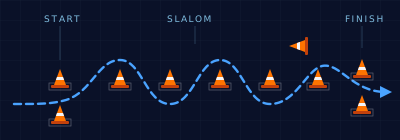
Pick a cone type, turn it to the angle you want, and click the map to drop it. Click a placed cone to turn it, drag it to move it, right-click to remove it. Set the start and finish lines, and every placement is listed with its type, direction and position.
Mark what's on the site
Drop markers for light poles and curbs, spectator areas, grates and holes, and worker stations. They show on the map, on the printout and on the share page, and Course Check uses them to test clearances.
Course Check suggestions
One button runs the course through checks based on published SCCA course-design guidance: estimated top speed, long straights into tight turns, the start and finish, slalom and gate spacing, pointer placement, sections that run too close together, and clearance to the marks you placed. Estimated corner speeds can be shown right on the map — they are estimates for a fast street car, not measurements.
Print it, schedule it, send the link
Download a black-and-white PDF with the course map and a numbered cone list for the setup crew. Set a future Auto X event and share its link — participants see the course with start, finish, every cone and the site marks, and can zoom, turn the map or hide the outline to see just the cones. No account needed to view it.